




Is Google Classroom Free? A Complete Breakdown of Costs and Limits in 2026
Here is the short answer: Yes, Google Classroom is completely free to use. You do not need a credit card, you do not pay a monthly subscription fee, and there are no hidden charges for basic features. Whether you are a teacher setting up your first assignment or a student trying to submit homework without breaking the bank, the core product costs zero dollars.
However, the reality of using digital education tools in 2026 is rarely black and white. While the software itself is free, it lives inside an ecosystem called Google Workspace for Education. Understanding where the "free" line stops and where potential costs begin is crucial for schools, parents, and independent educators. This guide breaks down exactly what you get for free, what might cost money, and whether this tool fits your specific needs today.
What Exactly Is Google Classroom?
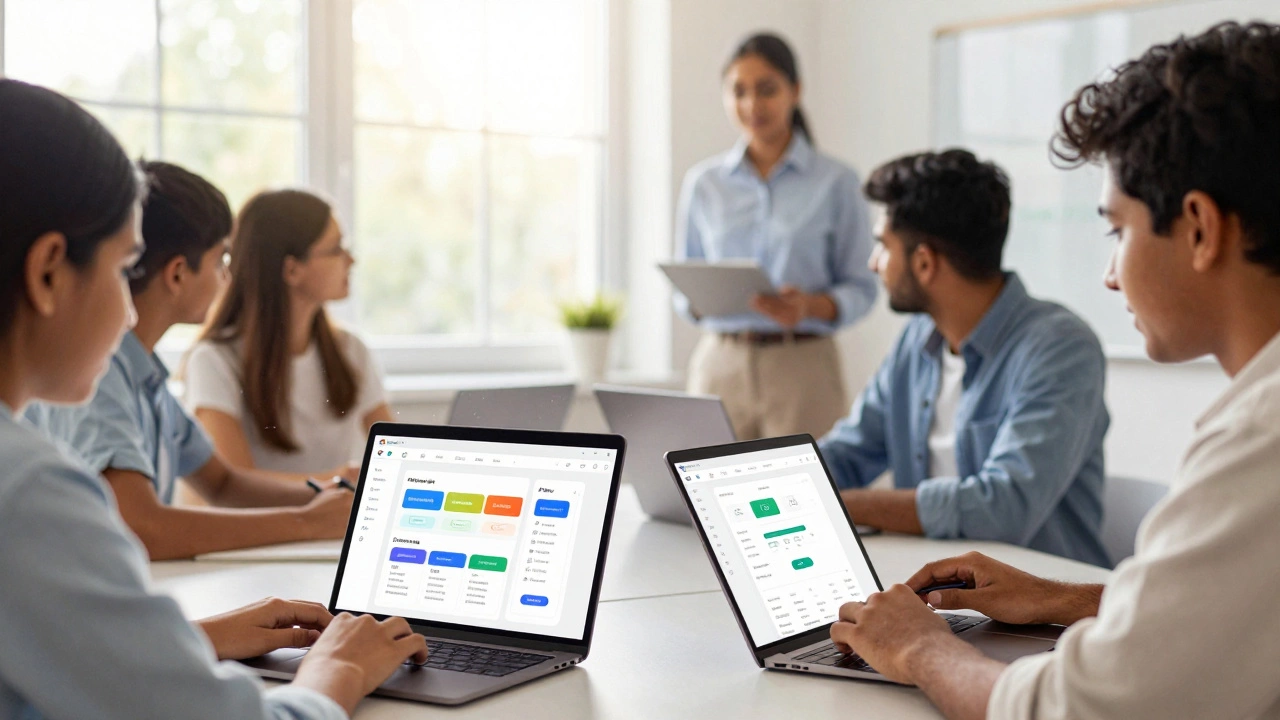
To understand the pricing, you first need to understand the product. Google Classroom is not a standalone video hosting site like YouTube, nor is it a content creator platform like Udemy. It is a Learning Management System (LMS). Think of it as a digital bulletin board that connects teachers with students.
Its primary job is organization. It allows teachers to create classes, distribute assignments, collect submissions, and provide feedback—all in one place. It integrates tightly with other tools you likely already know, such as Google Docs, Google Slides, and Google Drive. When a teacher posts an assignment, students can click a button to open a new document, work on it, and save it directly back to the class folder. No email attachments flying around, no lost files.
The platform was launched by Google in 2014. Since then, it has become one of the most widely used educational tools globally. According to various industry reports, hundreds of millions of users across more than 180 countries rely on it daily. Its dominance comes from its simplicity and the fact that it removes the technical barrier to entry for non-tech-savvy educators.
The Core Offering: What You Get for $0
If you sign up for a standard Google account (the kind you use for Gmail), you can immediately access Google Classroom. Here is what is included in that free tier:
- Unlimited Classes: Teachers can create as many classes as they need. There is no cap on the number of courses you can manage simultaneously.
- Unlimited Assignments: Post quizzes, essays, projects, or simple reminders without hitting a limit.
- Real-Time Collaboration: Because it uses Google Docs and Sheets, multiple students can work on a project together at the same time, seeing each other's edits instantly.
- Mobile App Access: The iOS and Android apps are free. Students can submit photos of handwritten homework or record voice notes directly from their phones.
- Basic Storage: Every free Google account comes with 15 GB of storage shared across Gmail, Drive, and Photos. For text-based assignments, this is usually plenty.
This setup works perfectly for individual teachers who want to digitize their workflow or small homeschooling groups. If you are just looking to replace paper handouts with digital ones, the free version does everything you need.
Where the Hidden Costs Might Appear
While the classroom interface is free, the infrastructure behind it can introduce costs depending on how you use it. These are not fees charged by Google Classroom directly, but rather limitations of the free Google ecosystem.
Storage Limitations
The biggest pain point for free users is storage. That 15 GB limit applies to your entire Google account. If you upload high-resolution images, large video files, or heavy PDFs, you will fill that space quickly. Once you hit the limit, you cannot send emails or save new documents until you delete old data or pay for more storage via Google One.
For schools, this is why administrators often purchase Google Workspace for Education Fundamentals. This paid tier provides unlimited cloud storage for teachers and students, ensuring that a single large video project doesn't lock out a student from submitting work.
Advanced Administrative Controls
If you are running a large school district, the free version lacks centralized management. You cannot enforce security policies, manage user accounts in bulk, or control which third-party apps are allowed in the classroom without the admin console found in the paid Workspace editions. For a single teacher, this doesn't matter. For a principal managing 500 staff members, it’s a dealbreaker.
Google Workspace for Education Tiers Explained
Many people confuse Google Classroom with the broader Google Workspace suite. Classroom is the app; Workspace is the operating system it runs on. Google offers several tiers for educational institutions. Here is how they break down in 2026:
| Tier Name | Cost | Key Features | Best For |
|---|---|---|---|
| Fundamentals | $4 per user/month | Unlimited storage, advanced admin controls, device management | Schools needing robust IT management |
| Standard | $8 per user/month | All Fundamentals features + Meet premium features, Vids for Class | Schools focused on video collaboration |
| Plus | $12 per user/month | All Standard features + AI-powered insights, advanced analytics | Larger districts wanting data-driven decisions |
| Free Tier | $0 | Basic Classroom access, 15GB storage, limited admin controls | Individual teachers, small private schools |
Note that these prices are for institutional accounts. Individual users cannot buy "Workspace for Education" directly; they must go through a school or organization. As an individual, you are stuck with the free consumer version unless you upgrade your personal Google One storage plan.
Who Should Use the Free Version?
Not everyone needs to pay for enterprise-level features. The free version of Google Classroom is ideal for:
- Independent Tutors: If you run a small math tutoring business with five students, the free version handles scheduling and file sharing perfectly.
- Homeschool Parents: Managing one child’s curriculum requires minimal storage and administrative overhead.
- Community Workshops: Local libraries or community centers offering free coding or art classes can use Classroom to distribute materials without budget concerns.
- Students: You never pay to join a class. The cost burden is always on the educator or institution.
Alternatives to Consider
While Google Classroom is free, it isn't the only option. Depending on your needs, another platform might offer better value or functionality.
Moodle is a powerful open-source alternative. It is also free to download and host, but it requires technical expertise to set up and maintain a server. It offers far more customization than Google Classroom but has a steeper learning curve.
Canvas is popular in higher education. Many universities provide it for free to their students and staff because the institution pays the licensing fee. However, if you are an individual trying to start a course, Canvas does not have a free public tier for instructors.
Kahoot! focuses on gamified quizzes rather than full course management. It has a free tier, but many useful features require a subscription. It complements Classroom well but doesn't replace it.
Privacy and Safety Concerns
When something is free, the question arises: what is the cost? In the case of Google Classroom, the concern is data privacy. Google states that it does not sell user data or use student information for advertising purposes when using Workspace for Education. However, the free consumer version operates under different terms.
For schools, this distinction is critical. Using personal Gmail accounts for classroom management means your data falls under Google’s general Terms of Service, which may include data processing for service improvement. Schools concerned about compliance with regulations like FERPA (in the US) or GDPR (in Europe) should opt for the verified Workspace for Education environment, even if it means paying for the Fundamentals tier.
How to Get Started for Free
If you decide the free version meets your needs, getting started takes less than five minutes.
- Create a Google Account: If you don’t have one, go to google.com and sign up. Use a dedicated email address for professional use if possible.
- Visit classroom.google.com: Log in with your credentials.
- Create a Class: Click the "+" icon and select "Create class." Enter the class name, subject, and section.
- Invite Students: Share the class code with your students. They can join by entering this code on their own devices.
- Post Your First Assignment: Click "Classwork," then "Create," and choose "Assignment." Add instructions and attach any necessary files from your Drive.
That’s it. You now have a functional digital classroom without spending a dime.
Frequently Asked Questions
Is Google Classroom really 100% free for teachers?
Yes, the core application is free for anyone with a Google account. You can create classes, post assignments, and grade work without paying anything. However, you are limited to 15 GB of total storage across all your Google services, which might be tight if you handle lots of video or high-res image files.
Do I need a special school email to use Google Classroom?
No. You can use a standard @gmail.com account. However, schools often prefer using managed accounts (like [email protected]) because it gives administrators control over security and data privacy. For individual tutors or homeschoolers, a regular Gmail account works perfectly.
What happens if I run out of storage space?
If you hit the 15 GB limit on your free account, you won't be able to upload new files to Google Drive or send emails with attachments. You will need to either delete old files to free up space or purchase additional storage through Google One. This is the most common reason schools move to the paid Workspace for Education plans.
Can I use Google Classroom for higher education or university courses?
You can, but many universities prefer platforms like Canvas or Blackboard due to their advanced grading rubrics and integration with student information systems. Google Classroom is simpler and may lack some of the complex academic tracking features required at the university level, though it is increasingly being adopted for smaller seminars and workshops.
Is my data safe on the free version of Google Classroom?
Google does not sell your personal data to advertisers. However, the free consumer version has fewer privacy controls than the enterprise versions. If you are handling sensitive student data, especially for minors, it is safer to use a managed Workspace for Education account, which complies with stricter data protection standards.
Here is the short answer: Yes, Google Classroom is completely free to use. You do not need a credit card, you do not pay a monthly subscription fee, and there are no hidden charges for basic features. Whether you are a teacher setting up your first assignment or a student trying to submit homework without breaking the bank, the core product costs zero dollars.
However, the reality of using digital education tools in 2026 is rarely black and white. While the software itself is free, it lives inside an ecosystem called Google Workspace for Education. Understanding where the "free" line stops and where potential costs begin is crucial for schools, parents, and independent educators. This guide breaks down exactly what you get for free, what might cost money, and whether this tool fits your specific needs today.
What Exactly Is Google Classroom?
To understand the pricing, you first need to understand the product. Google Classroom is not a standalone video hosting site like YouTube, nor is it a content creator platform like Udemy. It is a Learning Management System (LMS). Think of it as a digital bulletin board that connects teachers with students.
Its primary job is organization. It allows teachers to create classes, distribute assignments, collect submissions, and provide feedback-all in one place. It integrates tightly with other tools you likely already know, such as Google Docs, Google Slides, and Google Drive. When a teacher posts an assignment, students can click a button to open a new document, work on it, and save it directly back to the class folder. No email attachments flying around, no lost files.
The platform was launched by Google in 2014. Since then, it has become one of the most widely used educational tools globally. According to various industry reports, hundreds of millions of users across more than 180 countries rely on it daily. Its dominance comes from its simplicity and the fact that it removes the technical barrier to entry for non-tech-savvy educators.
The Core Offering: What You Get for $0
If you sign up for a standard Google account (the kind you use for Gmail), you can immediately access Google Classroom. Here is what is included in that free tier:
- Unlimited Classes: Teachers can create as many classes as they need. There is no cap on the number of courses you can manage simultaneously.
- Unlimited Assignments: Post quizzes, essays, projects, or simple reminders without hitting a limit.
- Real-Time Collaboration: Because it uses Google Docs and Sheets, multiple students can work on a project together at the same time, seeing each other's edits instantly.
- Mobile App Access: The iOS and Android apps are free. Students can submit photos of handwritten homework or record voice notes directly from their phones.
- Basic Storage: Every free Google account comes with 15 GB of storage shared across Gmail, Drive, and Photos. For text-based assignments, this is usually plenty.
This setup works perfectly for individual teachers who want to digitize their workflow or small homeschooling groups. If you are just looking to replace paper handouts with digital ones, the free version does everything you need.
Where the Hidden Costs Might Appear
While the classroom interface is free, the infrastructure behind it can introduce costs depending on how you use it. These are not fees charged by Google Classroom directly, but rather limitations of the free Google ecosystem.
Storage Limitations
The biggest pain point for free users is storage. That 15 GB limit applies to your entire Google account. If you upload high-resolution images, large video files, or heavy PDFs, you will fill that space quickly. Once you hit the limit, you cannot send emails or save new documents until you delete old data or pay for more storage via Google One.
For schools, this is why administrators often purchase Google Workspace for Education Fundamentals. This paid tier provides unlimited cloud storage for teachers and students, ensuring that a single large video project doesn't lock out a student from submitting work.
Advanced Administrative Controls
If you are running a large school district, the free version lacks centralized management. You cannot enforce security policies, manage user accounts in bulk, or control which third-party apps are allowed in the classroom without the admin console found in the paid Workspace editions. For a single teacher, this doesn't matter. For a principal managing 500 staff members, it’s a dealbreaker.
Google Workspace for Education Tiers Explained
Many people confuse Google Classroom with the broader Google Workspace suite. Classroom is the app; Workspace is the operating system it runs on. Google offers several tiers for educational institutions. Here is how they break down in 2026:
| Tier Name | Cost | Key Features | Best For |
|---|---|---|---|
| Fundamentals | $4 per user/month | Unlimited storage, advanced admin controls, device management | Schools needing robust IT management |
| Standard | $8 per user/month | All Fundamentals features + Meet premium features, Vids for Class | Schools focused on video collaboration |
| Plus | $12 per user/month | All Standard features + AI-powered insights, advanced analytics | Larger districts wanting data-driven decisions |
| Free Tier | $0 | Basic Classroom access, 15GB storage, limited admin controls | Individual teachers, small private schools |
Note that these prices are for institutional accounts. Individual users cannot buy "Workspace for Education" directly; they must go through a school or organization. As an individual, you are stuck with the free consumer version unless you upgrade your personal Google One storage plan.
Who Should Use the Free Version?
Not everyone needs to pay for enterprise-level features. The free version of Google Classroom is ideal for:
- Independent Tutors: If you run a small math tutoring business with five students, the free version handles scheduling and file sharing perfectly.
- Homeschool Parents: Managing one child’s curriculum requires minimal storage and administrative overhead.
- Community Workshops: Local libraries or community centers offering free coding or art classes can use Classroom to distribute materials without budget concerns.
- Students: You never pay to join a class. The cost burden is always on the educator or institution.
Alternatives to Consider
While Google Classroom is free, it isn't the only option. Depending on your needs, another platform might offer better value or functionality.
Moodle is a powerful open-source alternative. It is also free to download and host, but it requires technical expertise to set up and maintain a server. It offers far more customization than Google Classroom but has a steeper learning curve.
Canvas is popular in higher education. Many universities provide it for free to their students and staff because the institution pays the licensing fee. However, if you are an individual trying to start a course, Canvas does not have a free public tier for instructors.
Kahoot! focuses on gamified quizzes rather than full course management. It has a free tier, but many useful features require a subscription. It complements Classroom well but doesn't replace it.

Privacy and Safety Concerns
When something is free, the question arises: what is the cost? In the case of Google Classroom, the concern is data privacy. Google states that it does not sell user data or use student information for advertising purposes when using Workspace for Education. However, the free consumer version operates under different terms.
For schools, this distinction is critical. Using personal Gmail accounts for classroom management means your data falls under Google’s general Terms of Service, which may include data processing for service improvement. Schools concerned about compliance with regulations like FERPA (in the US) or GDPR (in Europe) should opt for the verified Workspace for Education environment, even if it means paying for the Fundamentals tier.
How to Get Started for Free
If you decide the free version meets your needs, getting started takes less than five minutes.
- Create a Google Account: If you don’t have one, go to google.com and sign up. Use a dedicated email address for professional use if possible.
- Visit classroom.google.com: Log in with your credentials.
- Create a Class: Click the "+" icon and select "Create class." Enter the class name, subject, and section.
- Invite Students: Share the class code with your students. They can join by entering this code on their own devices.
- Post Your First Assignment: Click "Classwork," then "Create," and choose "Assignment." Add instructions and attach any necessary files from your Drive.
That’s it. You now have a functional digital classroom without spending a dime.
Frequently Asked Questions
Is Google Classroom really 100% free for teachers?
Yes, the core application is free for anyone with a Google account. You can create classes, post assignments, and grade work without paying anything. However, you are limited to 15 GB of total storage across all your Google services, which might be tight if you handle lots of video or high-res image files.
Do I need a special school email to use Google Classroom?
No. You can use a standard @gmail.com account. However, schools often prefer using managed accounts (like [email protected]) because it gives administrators control over security and data privacy. For individual tutors or homeschoolers, a regular Gmail account works perfectly.
What happens if I run out of storage space?
If you hit the 15 GB limit on your free account, you won't be able to upload new files to Google Drive or send emails with attachments. You will need to either delete old files to free up space or purchase additional storage through Google One. This is the most common reason schools move to the paid Workspace for Education plans.
Can I use Google Classroom for higher education or university courses?
You can, but many universities prefer platforms like Canvas or Blackboard due to their advanced grading rubrics and integration with student information systems. Google Classroom is simpler and may lack some of the complex academic tracking features required at the university level, though it is increasingly being adopted for smaller seminars and workshops.
Is my data safe on the free version of Google Classroom?
Google does not sell your personal data to advertisers. However, the free consumer version has fewer privacy controls than the enterprise versions. If you are handling sensitive student data, especially for minors, it is safer to use a managed Workspace for Education account, which complies with stricter data protection standards.